
You just picked up a sleek Fernway battery and a fresh cartridge, but now you’re staring at both pieces wondering how they actually work together. The good news is that Fernway batteries are designed to be simple once you know the basics, and they work with most 510-thread carts you’ll find at dispensaries like Kush Groove in Cambridge or Brockton. This guide walks you through everything from your first charge to getting smooth, consistent draws every time.
Table of Contents
- What Makes Fernway Batteries Different
- Setting Up Your Fernway Battery for First Use
- Using Your Fernway Battery With Different Cartridges
- Charging and Maintaining Your Fernway Battery
- Troubleshooting Common Fernway Battery Issues
- Getting the Most From Your Fernway Battery
- Common Questions About Fernway Batteries
What Makes Fernway Batteries Different
Fernway batteries have become one of the most talked-about vape battery options in Massachusetts dispensaries, and there’s a good reason why. These batteries stand out because they’re built with a focus on simplicity and reliability, which matters a lot when you’re trying to enjoy your favorite cartridges without dealing with complicated settings or dead batteries at the worst times. The design is clean and minimal, fitting comfortably in your hand or pocket without feeling bulky. Most importantly, Fernway batteries work with standard 510-thread cartridges, which means they’re compatible with the vast majority of carts you’ll find at places like Kush Groove in Cambridge or Brockton.
Key Features That Matter
The fernway battery comes with features that actually make a difference in your daily use. The voltage settings let you control how hot your cart gets, which changes the flavor and vapor production you’ll experience.
- Three voltage settings (low, medium, high) for different preferences
- Long-lasting battery life that can handle multiple sessions per charge
- USB charging that works with most standard cables
- Automatic shut-off feature to prevent overheating
- Compact size that fits easily in pockets or bags
Build Quality and Design
The construction of a fernway battery feels solid without being heavy. The button is responsive and the LED indicator lights are easy to read, even in bright sunlight.
- Durable metal housing that resists scratches and drops
- Magnetic connection for easy cart attachment
- Clear LED indicators for battery level and voltage
- Sleek finish available in multiple colors
Compatibility with Quality Cartridges
When you pick up cartridges from Kush Groove’s selection of vaporizers, you want a battery that brings out the best in them. Fernway batteries pair especially well with live resin and high-quality distillate carts because the adjustable voltage lets you find the sweet spot for flavor. The 510-thread standard means you’re not locked into one brand, giving you freedom to try different products.
| Feature | Specification | Benefit |
|---|---|---|
| Thread Type | 510-thread | Works with most cartridges |
| Voltage Range | 2.8V – 3.6V | Customizable experience |
| Battery Capacity | 400mAh | All-day use on single charge |
| Charge Time | 45-60 minutes | Quick turnaround |
| Weight | 0.8 oz | Lightweight and portable |
The real advantage comes down to consistency. A good battery like the fernway model delivers steady power that doesn’t fluctuate as the charge drops, which means your first hit of the day feels just as good as your last one before recharging.
Setting Up Your Fernway Battery for First Use
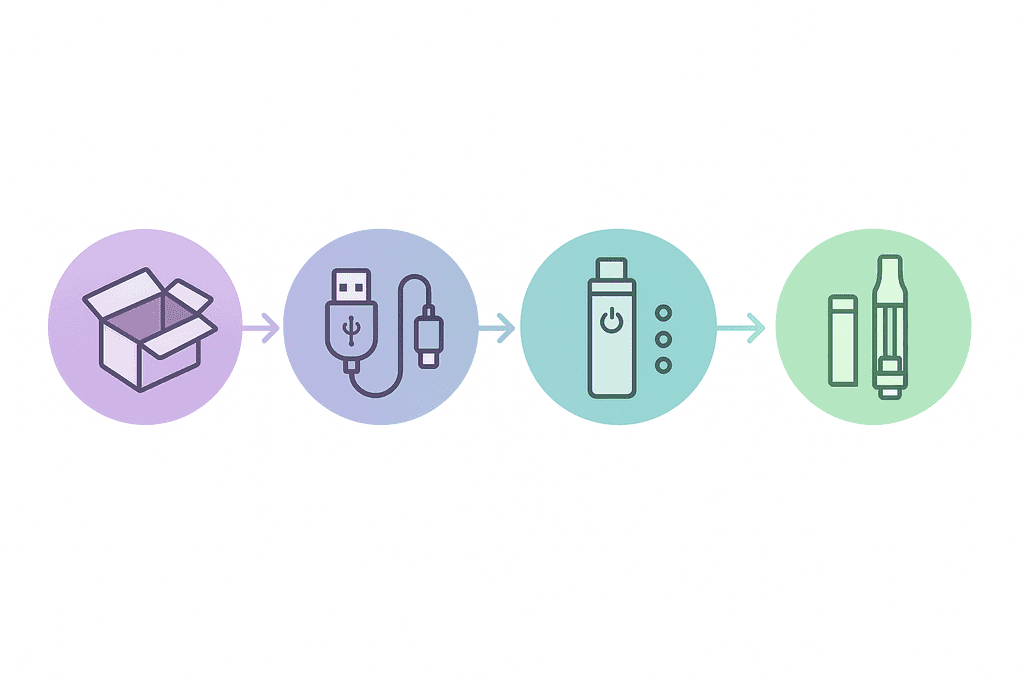
Most people make the mistake of trying to use their Fernway battery right out of the box, but that’s actually the worst thing you can do for battery life. When you first open your Fernway battery package, you’ll find the battery itself, a USB charging cable, and usually a small instruction card. The battery comes with some charge from the factory, but it’s rarely enough for optimal performance. Before you even think about attaching a cartridge, you need to give it a full charge cycle to condition the battery properly.
Setting Up Your Fernway Battery for First Use
Charging your Fernway battery is pretty straightforward. Connect the USB cable to the battery’s charging port and plug it into any USB power source. You’ll see the LED indicator light up, usually showing red or another color to indicate it’s charging.
- Red light means the battery is charging
- Green light (or no light) means it’s fully charged
- Blinking lights can indicate connection issues
- First charge should take about 1-2 hours
Once your battery shows a full charge, you’re ready to attach your first cartridge. The Fernway battery uses standard 510-thread connections, which means it works with most cartridges you’ll find at dispensaries like Kush Groove. Gently screw the cartridge clockwise into the battery until it’s snug, but don’t overtighten it or you might damage the threads.
Using Your Fernway Battery With Different Cartridges
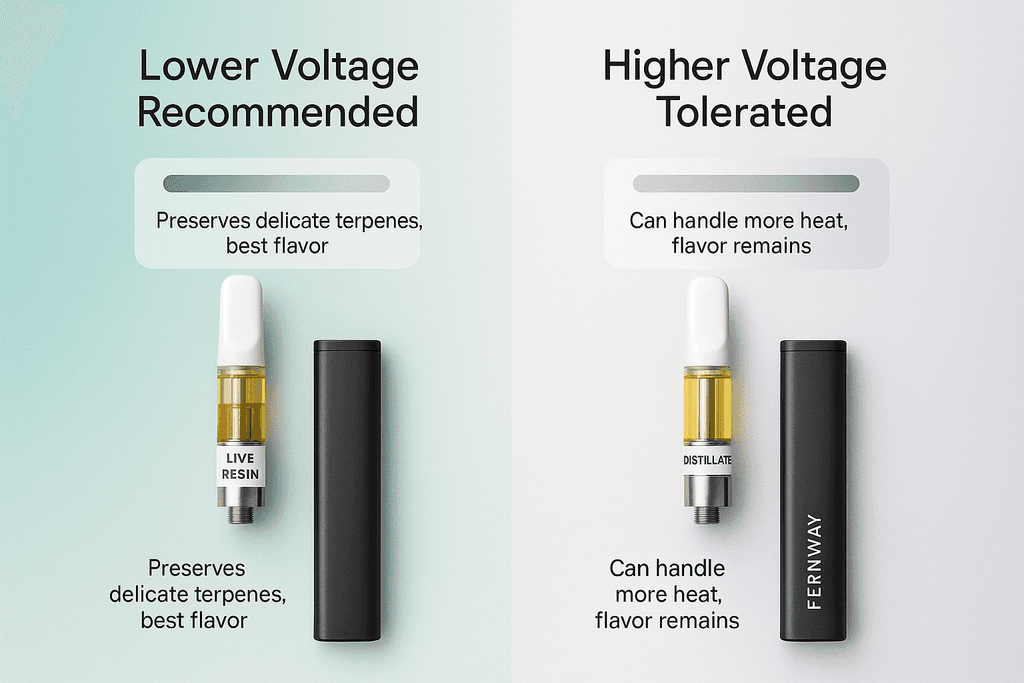
The way you use your Fernway battery can make a huge difference in how your cartridges taste and how long they last. Different types of cannabis oil need different voltage settings to work their best. Live resin cartridges, for example, have more delicate terpenes that can burn off if you use too high a voltage. Distillate cartridges are usually more forgiving and can handle higher heat without losing flavor.
Using Your Fernway Battery With Different Cartridges
Most Fernway batteries have adjustable voltage settings that you can cycle through by clicking the power button multiple times (usually three or five clicks). Each voltage level is indicated by a different LED color.
| Voltage Level | LED Color | Best For |
|---|---|---|
| Low (2.8V) | Green | Live resin, full-spectrum oils |
| Medium (3.2V) | Blue | Most distillate cartridges |
| High (3.6V) | Red | Thick oils, larger clouds |
When you’re ready to take a draw, the technique matters more than you’d think. Start with slow, steady pulls rather than quick, hard ones. If your battery has a button, press and hold it while you inhale for 3-5 seconds. Some Fernway batteries are draw-activated, meaning they turn on automatically when you inhale.
The cartridges we carry at our Cambridge and Brockton locations work great with Fernway batteries, especially our Mix & Match Perpetual 1g vape cartridges. Starting at a lower voltage and working your way up helps you find the sweet spot for each cartridge type.
Charging and Maintaining Your Fernway Battery
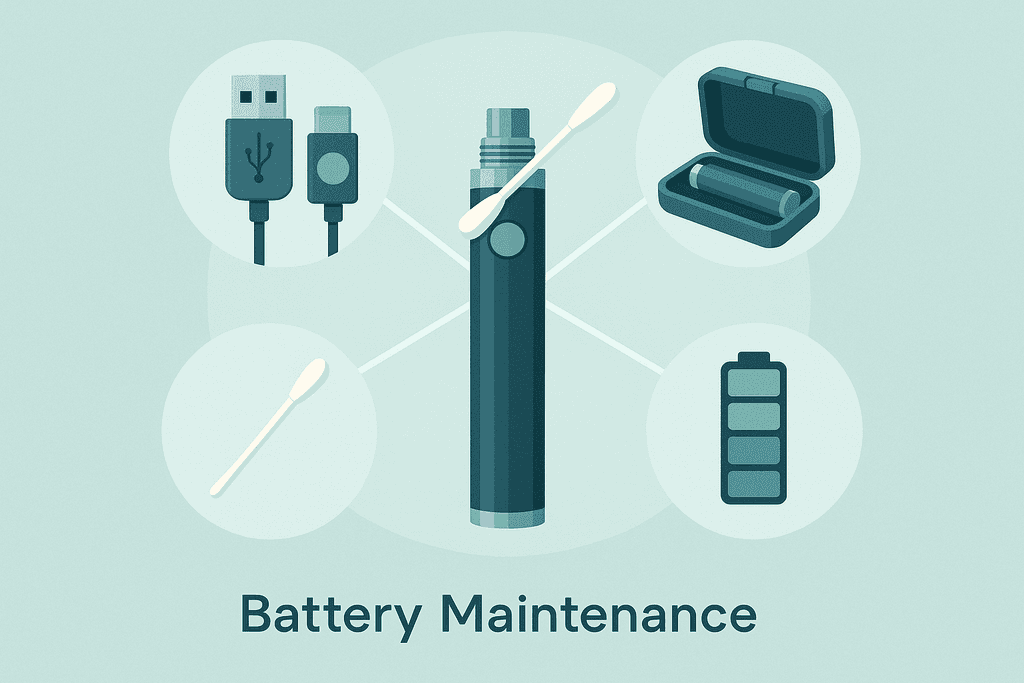
Taking care of your Fernway battery isn’t complicated, but a few simple habits can double or even triple its lifespan. The biggest mistake people make is letting the battery die completely before charging it. Lithium batteries actually prefer to stay between 20% and 80% charge when possible. You don’t need to be obsessive about it, but try to charge your battery when you notice the LED indicator showing low power rather than waiting until it’s completely dead.
Charging and Maintaining Your Fernway Battery
Battery life indicators on Fernway batteries usually work like this: a solid light means good charge, a dimming light means it’s getting low, and a blinking light means you need to charge soon.
- Charge your battery when the LED starts blinking or dimming
- Don’t leave it plugged in for days after it’s fully charged
- Clean the connection threads every few weeks
- Store in a cool, dry place when not using it
- Keep it away from extreme temperatures
The connection threads where your cartridge screws in can get gunked up with oil residue over time. This causes poor connections and weak vapor production. Clean the threads monthly using a cotton swab dipped in rubbing alcohol. Let it dry completely before attaching a cartridge again.
When you’re not using your battery for a while, store it with about 50% charge in a drawer or case away from direct sunlight. Batteries stored at full charge or completely empty tend to degrade faster.
Troubleshooting Common Fernway Battery Issues
Even with proper care, you’ll probably run into an issue with your Fernway battery at some point. The good news is that most problems have simple fixes that don’t require buying a new battery. The most common issue people face is the battery not turning on at all, which usually just means it needs charging or the power button needs to be clicked five times rapidly to activate it. If that doesn’t work, try cleaning the charging port and connection threads.
Connection problems between your battery and cartridge are usually caused by one of three things: dirty threads, a cartridge screwed in too tight or too loose, or a cartridge that’s not making proper contact.
| Problem | Likely Cause | Solution |
|---|---|---|
| Battery won’t turn on | Needs charging or activation | Charge fully, then click button 5 times |
| Weak vapor production | Low battery or wrong voltage | Charge battery, adjust voltage setting |
| Cartridge not connecting | Dirty threads or poor contact | Clean threads, adjust cartridge tightness |
| Blinking lights during use | Short circuit or connection issue | Remove and reattach cartridge |
If your battery is producing weak vapor even when fully charged, try adjusting the voltage to a higher setting. Sometimes cartridges need more power to heat the oil properly. Blinking light patterns usually indicate specific errors: three blinks often means a connection problem, while ten blinks might mean the battery is dead or malfunctioning.
When you’ve tried everything and your battery still isn’t working right, it might be time for a replacement. Stop by either our Cambridge location on Mount Auburn Street or our Brockton spot on Crescent Street, and our staff can help you figure out if you need a new battery or if your cartridge is the issue. We keep a good selection of batteries and cartridges in stock, so you won’t have to wait to get back to enjoying your vape.
Getting the Most From Your Fernway Battery
Using your Fernway battery really comes down to a few simple steps. Keep it charged, attach your cartridge properly, and start with low voltage settings until you find what works for you. The battery itself is pretty straightforward once you get the hang of it, but the cartridge you pair it with makes all the difference in your experience.
Quality cartridges matter more than most people think. A good cart will have consistent oil, proper airflow, and won’t leak or clog on you. At Kush Groove, we carry a solid selection of cartridges that work great with Fernway batteries, including our Mix & Match Perpetual 1g vape cartridges at 3 for $50. That deal lets you try different strains without breaking the bank.
The thing about vape batteries is they’re only as good as what you screw into them. You can have the best battery in the world, but if your cartridge is low quality or doesn’t match your preferences, you won’t enjoy it. Our staff at both the Cambridge and Brockton locations can walk you through which cartridges pair well with your Fernway battery based on what effects you’re looking for.
If you’re still figuring out your setup or have questions about compatibility, just ask when you stop by. We’ve helped thousands of customers find the right combination of battery and cartridge for their needs. The FAQ section below covers some common questions that might help too.
Common Questions About Fernway Batteries
Getting the most out of your fernway battery means knowing how it works with different cartridges and understanding its features. These are the questions we hear most often from customers who want to make sure they’re using their device correctly. Whether you’re new to vaping or just picked up a Fernway for the first time, these answers will help you get started without any guesswork.
Are Fernway batteries compatible with all cartridges?
Fernway batteries work with any standard 510-thread cartridge, which is the most common type you’ll find at dispensaries. The 510 connection is basically the universal standard for vape cartridges, so you’re not locked into using only Fernway-branded carts. Just make sure your cartridge has the standard threading and you’re good to go.
How long does a fernway battery last on a full charge?
A fully charged fernway battery typically lasts several days with regular use, though heavy users might need to charge it more often. The actual battery life depends on how long your sessions are and what voltage setting you’re using. Higher voltage settings drain the battery faster, so if you’re running low, switching to a lower setting can help stretch it out.
What voltage setting should I use?
Most people start with the lowest voltage setting and work their way up based on preference. Lower settings give you smoother, more flavorful hits while higher settings produce bigger clouds and stronger effects. If you’re using live resin or other high-quality concentrates, the lower settings usually preserve the terpenes better.
Can I use my fernway battery while it’s charging?
It’s best to let your fernway battery charge fully before using it again. Using it while charging can reduce the overall lifespan of the battery and might cause uneven heating. Most batteries charge pretty quickly anyway, so waiting 30-60 minutes isn’t a big deal.
Where can I buy replacement cartridges in the Boston area?
Kush Groove carries a wide selection of vape cartridges at both our Cambridge and Brockton locations, including options that work perfectly with your fernway battery. We stock everything from budget-friendly options to premium live resin carts, and our staff can help you find something that matches what you’re looking for. Right now we’re running a deal on Perpetual 1g cartridges at 3 for $50 if you want to stock up.
How do I know when my cartridge is empty?
You’ll notice the vapor production drops off significantly and the taste might get a bit harsh or burnt when your cartridge is running low. Most cartridges are clear or translucent, so you can actually see the oil level inside. Stop using it once you can’t see any liquid moving around because hitting an empty cart can damage both the cartridge and potentially your battery.